
How it works
From browsing to boarding, know the next step.
Six steps, start to finish
- 01
Browse, no account needed
Open the app and explore. You can look at every yacht and its full listing before you sign up.
Search by yacht name or marina, filter by yacht type, and sort by nearest to you, newest, price or largest guest capacity. The app uses your location, or you can pick a city.
- 02
Check the yacht and ask the captain
Each listing shows photos, specs, amenities, the crew breakdown (captain always included), house rules, the cancellation policy and reviews.
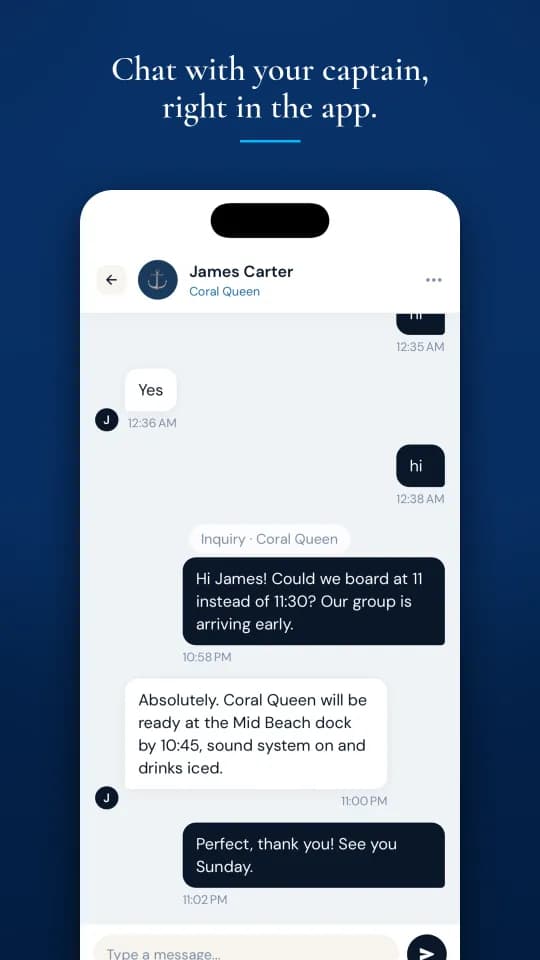
Have a question? Message the captain before you book. Phone numbers and email addresses are blocked in chat, which keeps payments and protections inside the app.
- 03
Book and pay
Choose a date up to 30 days ahead (or today, with at least 4 hours’ notice), an hourly departure between 8 AM and 8 PM, your guest count, a package and any add-ons. A live, itemised quote updates as you go.
Instant Book yachts confirm and charge straight away. With Request to Book your card is saved but not charged, and the owner has 24 hours to accept. If that charge then fails, you have 24 hours to retry. Payments go through Stripe, with 3D Secure supported.
- 04
Before the trip
Your security deposit is placed as a hold on your card 72 hours before the trip, or straight away if you book within 72 hours. It is not a charge.
You get a trip-day reminder, your pickup pin with one-tap directions, and your boarding code. The code arrives in the app and by email, and unlocks once the deposit hold is in place.
- 05
On the day
At the dock you complete a digital check-in: fuel level, any existing damage (with optional photos), the number of people boarding, the safety briefing and the booked return time. If you disagree with something, note it and still go.
Give the captain your boarding code to start the trip. Follow the yacht live in the app, and share a trip link with people on shore. They don’t need the app, and the link switches off when the trip ends.
- 06
After the trip
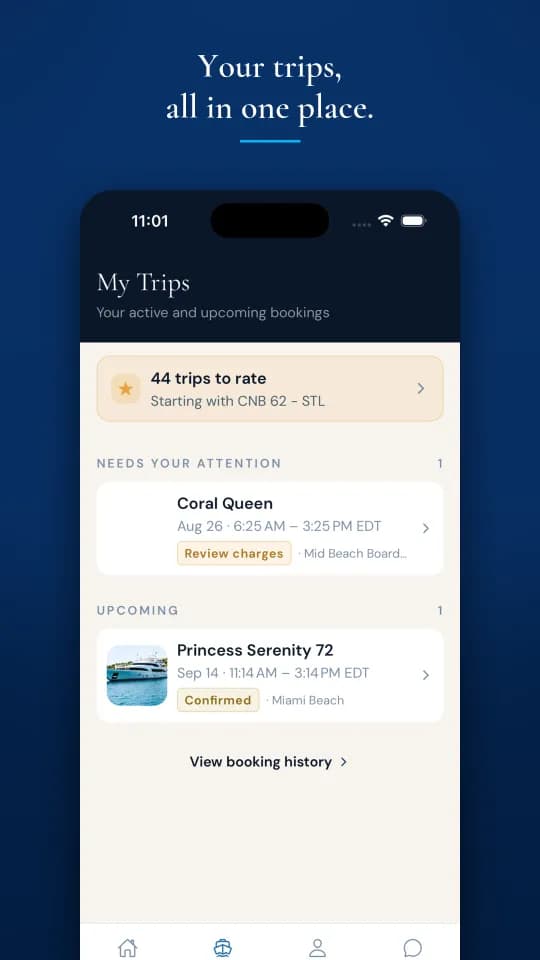
A digital check-out records fuel and damage again, so before and after are compared fairly. If the captain bills fuel, overtime or damage, every line comes with proof, and you have 24 hours to approve or dispute each one. A Turbo Yachts admin decides disputes line by line.
Your deposit hold is released within about 3 days. Then you and the captain review each other. Reviews publish once both sides have submitted, or after 14 days.
In the app
Cancellations
See your refund before you cancel
| Policy | Full refund | 50% refund | No refund |
|---|---|---|---|
| Flexible | 24h+ before | — | Under 24h |
| Moderate | 5+ days before | 2–5 days | Under 2 days |
| Strict | 30+ days before | 14–30 days | Under 14 days |
If the captain cancels, or the trip is called off for weather or safety, you get a 100% refund with fees included. Your deposit hold is always released when you cancel. Full terms are in our Refund Policy and Terms of Service.
FAQ
Booking questions
Can I ask the captain questions before I book?
Yes. Send a message from the yacht’s page. Phone numbers and email addresses are blocked in chat, which keeps payments and protections inside the app.
What happens at the dock?
You complete a short check-in in the app: fuel level, any existing damage (with optional photos), how many people are boarding, and confirmation of the safety briefing. Then you give the captain your boarding code to start the trip.
What if I disagree with something at check-in?
You can note it and still go. It is recorded as “proceed under objection”, so the trip goes ahead and your note is kept.
Can there be charges after the trip?
Only for fuel, overtime or damage, and every line needs proof. You get 24 hours to approve or dispute each one, and a Turbo Yachts admin decides disputes line by line.
What if I need to cancel?
Each yacht uses a Flexible, Moderate or Strict policy. The cancel screen shows your exact refund before you confirm, and refunds go back to your card automatically.
What if the captain cancels or the weather is bad?
If the captain cancels, or the trip is called off for weather or safety, you get a 100% refund, fees included.
Browse Miami yachts in the app
No account needed to look around. Sign up when you’re ready to book or message a captain.
Own a yacht? Get Turbo Yachts Captain